






Activate First
- Prepare
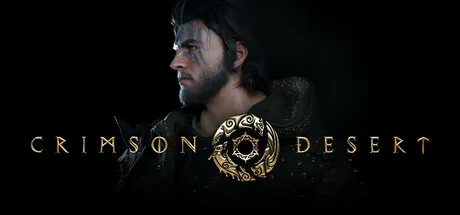
Download the ultimate Crimson Desert trainer. Features include Fill Health (Kliff), Fill Spirit (Kliff), Unlimited Health (Kliff), Unlimited Stamina (Kliff), and more. Enhance your single-player experience with ModOpen's seamless cheat engine alternative.
Trainers and Cheats supported for Steam, MS-Store.
Need help with download or installation? Join our Discord community for support.
These cheats only work if you're playing the companion as your active character, not Kliff.
These cheats only work if you're playing the companion as your active character, not Kliff.
These cheats only work if you're playing the companion as your active character, not Kliff.
This cheat allows you to obtain a large amount of items when you pick them up. It is recommended that you disable the cheat when you don’t need it to avoid any issues. However, use it with caution, as it is very easy to clutter up your inventory. To reduce the amount of unwanted items, you can use the "Set Inventory Item Stack (Use/Discard/Buy Item)" cheat.
If you activate this cheat the amount of items won't be reduced when using them. So you'll have e.g. unlimited arrows, unlimited spells and unlimited potions or can create potions, meals and weapons for free if you've more then one of the particular item.
!!! Please read these instructions carefully before using this code !!! Item Amount Modification: To increase the quantity of an item, hover your mouse over the desired item and select it. Then activate the cheat. Press the space bar to see the value change, or sell the item at a shop to apply the modification. Once you are done increasing the item amount, set the cheat value back to 0 and activate it again to properly disable it. It is not recommended to exceed 99 items, as this may cause issues. Currency Modification: To increase coins or other currencies (1,00 silver coin = 100), follow the same steps as above. However, instead of selling an item, you must purchase something from a shop. Afterward, save and reload your game to display the correct value. To disable the cheat, set it back to 0 and activate it once. Tip: It is recommended to buy gold bars afterward. Carrying too much money will attract a tax collector. Setting the cheat value to 0 only disables the effect; it does not remove items. Always reset the cheat to 0 after modifying values to avoid potential issues. You cannot delete items by setting them to 0, instead set the value to 1 to decrease an item amount.
!!! Please read these instructions carefully before using this code !!! After activating the cheat, you need to pick up an item for the effects to take place. Set the value to 0 if you want to disable the code. The item slots reset when the savegame is reloaded. However, the cheated slots should remain available as long as an item is placed in them. To prevent any issues, set the cheat back to 0 when collecting an inventory upgrade, otherwise the game sends you back to the main menu. Please keep in mind that it is possible to receive inventory upgrades when completing quests, so you should set the cheat back to 0 before finishing those. Additionally, it is possible that some items will not be accepted in the cheated inventory slots and will drop onto the ground. Unfortunately, this happens when the game thinks you have too many of that item in your inventory, and there is nothing we can do about it. However, the majority of items should be accepted into the slots.
While the code is active, try not to climb up on things or you might get stuck.
Don't forget to activate the Unlimited Health option before you use this code or you will die from fall damage.
This code will not work while you are riding a horse.
This code will not work while you are riding a horse.
This code should be activated only while you are riding the dragon. Disable this cheat during cutscenes or scripted events.
At ModOpen, your account security is our top priority. Unlike traditional hack tools or mod menus that inject malicious code directly into game files, our trainers utilize advanced, non-invasive memory-injection technology. This ensures your game’s integrity remains 100% intact, preventing crashes and file corruption.
Every trainer we release is thoroughly scanned to be virus-free and is regularly updated by our dev team to stay perfectly compatible with the latest Crimson Desert patches.
Follow these simple steps to start using trainers in Crimson Desert with ModOpen.
Install our lightweight desktop app. ModOpen is a top-rated application providing safe mods & cheats for over 3,000 PC games.
Launch ModOpen, search for Crimson Desert, and let the app auto-detect your game version (Steam, Epic, or GOG).
Click 'Play' and easily toggle your desired cheats using hotkeys or the in-app overlay.
Return to Crimson Desert and enjoy your enhanced gameplay experience instantly!
Yes. ModOpen trainers are rigorously tested to be completely safe and virus-free. We operate by modifying active RAM memory, not your actual game files, which keeps your installation secure and untouched.
No. ModOpen trainers are designed strictly for single-player, offline experiences. Using any modification tool or bypass in multiplayer modes may violate the developer's terms of service and lead to account penalties.
ModOpen automatically detects game updates. If a new trainer version is available, you will receive a notification in the app allowing you to update the cheats instantly with one click.
Stay updated with the latest news, updates, and game guides in the ModOpen community.
Download ModOpen for Windows, scan your supported games, and open available trainer options in one place.




Comments
No published comments yet
Published and moderated comments for Crimson Desert will appear here when available.