






Health/Energy
- Godmode
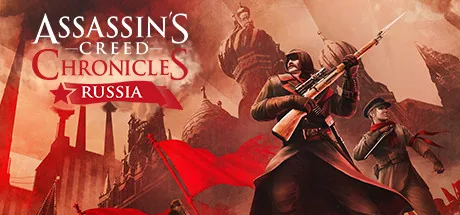
Download the ultimate Assassin's Creed Chronicles - Russia trainer. Features include Godmode, Infinite items, No Target, and more. Enhance your single-player experience with ModOpen's seamless cheat engine alternative.
Trainers and Cheats supported for Ubisoft Connect.
Need help with download or installation? Join our Discord community for support.
Increases the number of your knives, arrows, granades, etc. Becomes visible after usage!
This Cheat prevents that the detection beam of the guards goes into the red zone. Therefore, you've got more time to hide out and you might run through the level more easily.
At ModOpen, your account security is our top priority. Unlike traditional hack tools or mod menus that inject malicious code directly into game files, our trainers utilize advanced, non-invasive memory-injection technology. This ensures your game’s integrity remains 100% intact, preventing crashes and file corruption.
Every trainer we release is thoroughly scanned to be virus-free and is regularly updated by our dev team to stay perfectly compatible with the latest Assassin's Creed Chronicles - Russia patches.
Follow these simple steps to start using trainers in Assassin's Creed Chronicles - Russia with ModOpen.
Install our lightweight desktop app. ModOpen is a top-rated application providing safe mods & cheats for over 3,000 PC games.
Launch ModOpen, search for Assassin's Creed Chronicles - Russia, and let the app auto-detect your game version (Steam, Epic, or GOG).
Click 'Play' and easily toggle your desired cheats using hotkeys or the in-app overlay.
Return to Assassin's Creed Chronicles - Russia and enjoy your enhanced gameplay experience instantly!
Yes. ModOpen trainers are rigorously tested to be completely safe and virus-free. We operate by modifying active RAM memory, not your actual game files, which keeps your installation secure and untouched.
No. ModOpen trainers are designed strictly for single-player, offline experiences. Using any modification tool or bypass in multiplayer modes may violate the developer's terms of service and lead to account penalties.
ModOpen automatically detects game updates. If a new trainer version is available, you will receive a notification in the app allowing you to update the cheats instantly with one click.
Stay updated with the latest news, updates, and game guides in the ModOpen community.
Download ModOpen for Windows, scan your supported games, and open available trainer options in one place.





Comments
No published comments yet
Published and moderated comments for Assassin's Creed Chronicles - Russia will appear here when available.