






需要先激活
- 準備
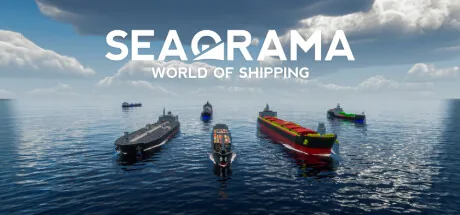
下載終極 SeaOrama: World of Shipping 修改器。功能包括 添加資金, 子錢, 補充燃料(自備船), 生態評級 A(售船) 等更多選項。使用 ModOpen 無縫替代 Cheat Engine,提升你的單機遊戲體驗。
修改器與作弊功能支援 Steam, Amazon, Epic。
需要下載或安裝方面的幫助? 加入我們的 Discord 社群以取得支援。
These cheats affect the player's company, whereby changes at the top of the menu and also under the company overview only become visible the next time the game changes values (e.g. when the day changes).
These cheats affect the player's company, whereby changes at the top of the menu and also under the company overview only become visible the next time the game changes values (e.g. when the day changes).
Open the "Activities" menu and select one of your ships. The cheats in this window apply to the ship currently displayed, although the effects will only become visible when you open the window again.
Open the "Activities" menu and select one of your ships. The cheats in this window apply to the ship currently displayed, although the effects will only become visible when you open the window again.
Open the "Activities" menu and select one of your ships. The cheats in this window apply to the ship currently displayed, although the effects will only become visible when you open the window again.
Open the "Activities" menu and select one of your ships. The cheats in this window apply to the ship currently displayed, although the effects will only become visible when you open the window again.
Open the "Activities" menu and select one of your ships. The cheats in this window apply to the ship currently displayed, although the effects will only become visible when you open the window again.
Open the "Activities" menu and select one of your ships. The cheats in this window apply to the ship currently displayed, although the effects will only become visible when you open the window again.
Open the "Activities" menu and select one of your ships. The cheats in this window apply to the ship currently displayed, although the effects will only become visible when you open the window again.
Open the "Activities" menu and select one of your ships. The cheats in this window apply to the ship currently displayed, although the effects will only become visible when you open the window again.
This automatically refills the fuel of all your ships on the routes so that they never run out of fuel.
These cheats apply to the company that you have just opened in the company overview. If you change your own company here, the game will reset the changes when you change the day. These cheats are therefore only intended for the AI companies, as they only have a permanent effect there!
These cheats apply to the company that you have just opened in the company overview. If you change your own company here, the game will reset the changes when you change the day. These cheats are therefore only intended for the AI companies, as they only have a permanent effect there!
These cheats apply to the company that you have just opened in the company overview. If you change your own company here, the game will reset the changes when you change the day. These cheats are therefore only intended for the AI companies, as they only have a permanent effect there!
These cheats affect the player's company, whereby changes at the top of the menu and also under the company overview only become visible the next time the game changes values (e.g. when the day changes).
These cheats affect the player's company, whereby changes at the top of the menu and also under the company overview only become visible the next time the game changes values (e.g. when the day changes).
These cheats affect the player's company, whereby changes at the top of the menu and also under the company overview only become visible the next time the game changes values (e.g. when the day changes).
These cheats affect the player's company, whereby changes at the top of the menu and also under the company overview only become visible the next time the game changes values (e.g. when the day changes).
These cheats affect the player's company, whereby changes at the top of the menu and also under the company overview only become visible the next time the game changes values (e.g. when the day changes).
These cheats affect the player's company, whereby changes at the top of the menu and also under the company overview only become visible the next time the game changes values (e.g. when the day changes).
在 ModOpen,帳戶安全是我們的首要任務。傳統駭客工具或模組選單會將惡意程式碼直接注入遊戲檔案,而我們的修改器採用先進且非侵入式的記憶體注入技術。這能確保遊戲完整性維持 100%,避免當機和檔案損毀。
我們發布的每個修改器都會經過完整掃描以確保不含病毒,並由開發團隊定期更新,以保持與 SeaOrama: World of Shipping 最新更新的相容性。
按照這些簡單步驟,開始在 SeaOrama: World of Shipping 中使用 ModOpen 修改器。
安裝我們輕量化的桌面應用程式。ModOpen 是廣受好評的應用程式,為超過 3,000 款 PC 遊戲提供安全的模組和作弊功能。
啟動 ModOpen、搜尋 SeaOrama: World of Shipping,並讓應用程式自動偵測您的遊戲版本(Steam、Epic 或 GOG)。
按一下「Play」,即可使用快速鍵或應用程式內浮層輕鬆切換所需的作弊功能。
返回 SeaOrama: World of Shipping,立即享受強化後的遊戲體驗!
是。ModOpen 修改器均經過嚴格測試,完全安全且不含病毒。我們僅修改執行中的 RAM 記憶體,而不會變更實際遊戲檔案,因此能確保安裝內容安全且不受影響。
不可以。ModOpen 修改器僅為單機離線體驗設計。在多人模式中使用任何修改工具或繞過機制,可能違反開發商的服務條款並導致帳戶受到處分。
ModOpen 會自動偵測遊戲更新。若有新版修改器可用,您會在應用程式內收到通知,並可一鍵立即更新作弊功能。
掌握 ModOpen 社群的最新消息、更新和遊戲指南。
新的設定、存檔安全和更新指南發布後會顯示在這裡。
下載適用於 Windows 的 ModOpen,掃描支援的遊戲,並在一處開啟可用的修改器選項。





評論
尚無已釋出的留言
SeaOrama: World of Shipping 的已釋出且經審核留言將在可用時顯示於此。