






Activate First
- Prepare
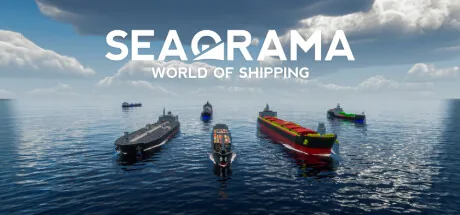
Скачайте лучший трейнер для SeaOrama: World of Shipping. Доступны функции Add Money, Sub Money, Refill Fuel (sel. ship), Eco Rating A (sel. ship) и многое другое. Сделайте одиночную игру удобнее с помощью ModOpen — простой альтернативы Cheat Engine.
Трейнеры и читы поддерживаются для Steam, Amazon, Epic.
Нужна помощь с загрузкой или установкой? Присоединяйтесь к нашему сообществу Discord, чтобы получить помощь.
These cheats affect the player's company, whereby changes at the top of the menu and also under the company overview only become visible the next time the game changes values (e.g. when the day changes).
These cheats affect the player's company, whereby changes at the top of the menu and also under the company overview only become visible the next time the game changes values (e.g. when the day changes).
Open the "Activities" menu and select one of your ships. The cheats in this window apply to the ship currently displayed, although the effects will only become visible when you open the window again.
Open the "Activities" menu and select one of your ships. The cheats in this window apply to the ship currently displayed, although the effects will only become visible when you open the window again.
Open the "Activities" menu and select one of your ships. The cheats in this window apply to the ship currently displayed, although the effects will only become visible when you open the window again.
Open the "Activities" menu and select one of your ships. The cheats in this window apply to the ship currently displayed, although the effects will only become visible when you open the window again.
Open the "Activities" menu and select one of your ships. The cheats in this window apply to the ship currently displayed, although the effects will only become visible when you open the window again.
Open the "Activities" menu and select one of your ships. The cheats in this window apply to the ship currently displayed, although the effects will only become visible when you open the window again.
Open the "Activities" menu and select one of your ships. The cheats in this window apply to the ship currently displayed, although the effects will only become visible when you open the window again.
Open the "Activities" menu and select one of your ships. The cheats in this window apply to the ship currently displayed, although the effects will only become visible when you open the window again.
This automatically refills the fuel of all your ships on the routes so that they never run out of fuel.
These cheats apply to the company that you have just opened in the company overview. If you change your own company here, the game will reset the changes when you change the day. These cheats are therefore only intended for the AI companies, as they only have a permanent effect there!
These cheats apply to the company that you have just opened in the company overview. If you change your own company here, the game will reset the changes when you change the day. These cheats are therefore only intended for the AI companies, as they only have a permanent effect there!
These cheats apply to the company that you have just opened in the company overview. If you change your own company here, the game will reset the changes when you change the day. These cheats are therefore only intended for the AI companies, as they only have a permanent effect there!
These cheats affect the player's company, whereby changes at the top of the menu and also under the company overview only become visible the next time the game changes values (e.g. when the day changes).
These cheats affect the player's company, whereby changes at the top of the menu and also under the company overview only become visible the next time the game changes values (e.g. when the day changes).
These cheats affect the player's company, whereby changes at the top of the menu and also under the company overview only become visible the next time the game changes values (e.g. when the day changes).
These cheats affect the player's company, whereby changes at the top of the menu and also under the company overview only become visible the next time the game changes values (e.g. when the day changes).
These cheats affect the player's company, whereby changes at the top of the menu and also under the company overview only become visible the next time the game changes values (e.g. when the day changes).
These cheats affect the player's company, whereby changes at the top of the menu and also under the company overview only become visible the next time the game changes values (e.g. when the day changes).
В ModOpen безопасность вашего профиля — наш главный приоритет. В отличие от традиционных хакерских инструментов или меню модов, внедряющих вредоносный код прямо в файлы игры, наши трейнеры используют передовую неинвазивную технологию внедрения в память. Это на 100 % сохраняет целостность игры и предотвращает сбои и повреждение файлов.
Каждый выпускаемый нами трейнер тщательно проверяется на отсутствие вирусов и регулярно обновляется нашей командой для совместимости с последними патчами SeaOrama: World of Shipping.
Выполните эти простые шаги, чтобы начать использовать трейнеры в SeaOrama: World of Shipping с ModOpen.
Установите наше лёгкое настольное приложение. ModOpen — высоко оценённое приложение с безопасными модами и читами для более чем 3 000 игр на ПК.
Запустите ModOpen, найдите SeaOrama: World of Shipping и позвольте приложению автоматически определить версию игры (Steam, Epic или GOG).
Нажмите «Play» и легко включайте нужные читы горячими клавишами или через внутриигровую панель.
Вернитесь в SeaOrama: World of Shipping и сразу наслаждайтесь улучшенным игровым процессом!
Да. Трейнеры ModOpen проходят строгую проверку, полностью безопасны и не содержат вирусов. Они изменяют только активную оперативную память, а не файлы игры, поэтому установленная игра остаётся защищённой и нетронутой.
Нет. Трейнеры ModOpen предназначены исключительно для одиночной игры без подключения к сети. Использование любых средств модификации или обхода ограничений в многопользовательских режимах может нарушить условия разработчика и привести к санкциям для профиля.
ModOpen автоматически обнаруживает обновления игр. Если доступна новая версия трейнера, приложение уведомит вас, и вы сможете мгновенно обновить читы одним нажатием.
Следите за последними новостями, обновлениями и игровыми руководствами сообщества ModOpen.
Новые руководства по настройке, защите сохранений и патчам появятся здесь после публикации.
Загрузите ModOpen для Windows, отсканируйте поддерживаемые игры и откройте доступные параметры трейнера в одном месте.





Комментарии
Опубликованных комментариев пока нет
Опубликованные и прошедшие модерацию комментарии к SeaOrama: World of Shipping появятся здесь, когда станут доступны.