






Önden Önemli
- Etkinleştir
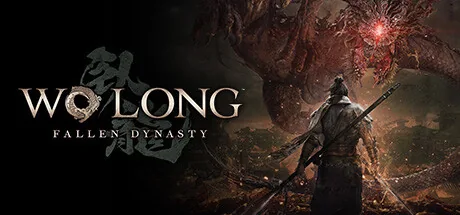
En kapsamlı Wo Long: Fallen Dynasty eğiticisini indir. Özellikler arasında Sen Ki'yi ekle, Alt Sen Ki, Bakır Ekle, Alt Bakır ve daha fazlası bulunur. Cheat Engine'e sorunsuz bir alternatif olan ModOpen ile tek oyunculu deneyimini geliştir.
Trainer ve hileler Steam, MS-Store platformlarında desteklenir.
İndirme veya yükleme konusunda yardıma mı ihtiyacınız var? Destek almak için Discord topluluğumuza katılın.
For the money/resources and skills/experience cheats to work they must be activated in a certain way 1. activate the cheat for the preparation 2. open the status menu in the game and then close it again 3. open the status menu again and activate the cheats there 4. now switch back and forth between the menu options so that the values can update
For the money/resources and skills/experience cheats to work they must be activated in a certain way 1. activate the cheat for the preparation 2. open the status menu in the game and then close it again 3. open the status menu again and activate the cheats there 4. now switch back and forth between the menu options so that the values can update
For the money/resources and skills/experience cheats to work they must be activated in a certain way 1. activate the cheat for the preparation 2. open the status menu in the game and then close it again 3. open the status menu again and activate the cheats there 4. now switch back and forth between the menu options so that the values can update
For the money/resources and skills/experience cheats to work they must be activated in a certain way 1. activate the cheat for the preparation 2. open the status menu in the game and then close it again 3. open the status menu again and activate the cheats there 4. now switch back and forth between the menu options so that the values can update
For the money/resources and skills/experience cheats to work they must be activated in a certain way 1. activate the cheat for the preparation 2. open the status menu in the game and then close it again 3. open the status menu again and activate the cheats there 4. now switch back and forth between the menu options so that the values can update
For the money/resources and skills/experience cheats to work they must be activated in a certain way 1. activate the cheat for the preparation 2. open the status menu in the game and then close it again 3. open the status menu again and activate the cheats there 4. now switch back and forth between the menu options so that the values can update
For the money/resources and skills/experience cheats to work they must be activated in a certain way 1. activate the cheat for the preparation 2. open the status menu in the game and then close it again 3. open the status menu again and activate the cheats there 4. now switch back and forth between the menu options so that the values can update
For the money/resources and skills/experience cheats to work they must be activated in a certain way 1. activate the cheat for the preparation 2. open the status menu in the game and then close it again 3. open the status menu again and activate the cheats there 4. now switch back and forth between the menu options so that the values can update
For the money/resources and skills/experience cheats to work they must be activated in a certain way 1. activate the cheat for the preparation 2. open the status menu in the game and then close it again 3. open the status menu again and activate the cheats there 4. now switch back and forth between the menu options so that the values can update
For the money/resources and skills/experience cheats to work they must be activated in a certain way 1. activate the cheat for the preparation 2. open the status menu in the game and then close it again 3. open the status menu again and activate the cheats there 4. now switch back and forth between the menu options so that the values can update
For the money/resources and skills/experience cheats to work they must be activated in a certain way 1. activate the cheat for the preparation 2. open the status menu in the game and then close it again 3. open the status menu again and activate the cheats there 4. now switch back and forth between the menu options so that the values can update
ModOpen'da hesap güvenliğiniz en önemli önceliğimizdir. Kötü amaçlı kodu doğrudan oyun dosyalarına enjekte eden geleneksel hack araçları veya mod menülerinin aksine trainer'larımız gelişmiş, müdahalesiz bellek enjeksiyonu teknolojisini kullanır. Bu, oyununuzun bütünlüğünü %100 koruyarak çökmeleri ve dosya bozulmalarını önler.
Yayımladığımız her trainer virüs içermediğinden emin olmak için kapsamlı biçimde taranır ve en yeni Wo Long: Fallen Dynasty yamalarıyla uyumlu kalması için geliştirici ekibimiz tarafından düzenli olarak güncellenir.
ModOpen ile Wo Long: Fallen Dynasty oyununda trainer kullanmaya başlamak için bu basit adımları izleyin.
Hafif masaüstü uygulamamızı yükleyin. ModOpen, 3.000'den fazla PC oyunu için güvenli modlar ve hileler sunan yüksek puanlı bir uygulamadır.
ModOpen'ı başlatın, Wo Long: Fallen Dynasty oyununu arayın ve uygulamanın oyun sürümünüzü (Steam, Epic veya GOG) otomatik olarak algılamasına izin verin.
“Play” düğmesine tıklayın ve istediğiniz hileleri kısayol tuşlarıyla veya uygulama içi katmanla kolayca açıp kapatın.
Wo Long: Fallen Dynasty oyununa dönün ve geliştirilmiş oyun deneyiminizin hemen keyfini çıkarın!
Evet. ModOpen trainer'ları tamamen güvenli ve virüssüz olmaları için titizlikle test edilir. Gerçek oyun dosyalarınızı değil, yalnızca etkin RAM belleğini değiştiririz; böylece kurulumunuz güvenli ve dokunulmamış kalır.
Hayır. ModOpen trainer'ları yalnızca tek oyunculu ve çevrim dışı deneyimler için tasarlanmıştır. Çok oyunculu modlarda herhangi bir değiştirme aracı veya atlatma yöntemi kullanmak geliştiricinin hizmet koşullarını ihlal edebilir ve hesap cezasına yol açabilir.
ModOpen oyun güncellemelerini otomatik olarak algılar. Yeni bir trainer sürümü çıktığında uygulamada bildirim alır ve hileleri tek tıkla anında güncelleyebilirsiniz.
ModOpen topluluğundaki en son haberleri, güncellemeleri ve oyun kılavuzlarını takip edin.
Yeni kurulum, kayıt güvenliği ve yama kılavuzları yayınlandıktan sonra burada görünecek.
Windows için ModOpen'ı indirin, desteklenen oyunlarınızı tarayın ve mevcut eğitmen seçeneklerini tek bir yerden açın.





Yorumlar
Henüz yayınlanmış yorum yok
Wo Long: Fallen Dynasty için yayınlanmış ve denetlenmiş yorumlar kullanıma sunulduğunda burada görünecektir.