Início/Treinadores/Warmachine Tactics
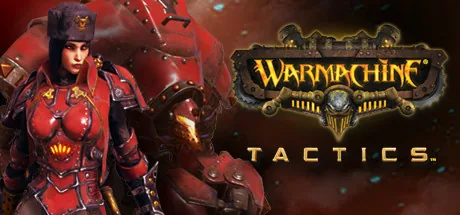
Capa do treinador de Warmachine Tactics para PC
Disponível

Warmachine Tactics Treinadores e cheats

Baixe o melhor treinador de Warmachine Tactics. Os recursos incluem Prepare-se para truques (unidade selecionada), Saúde Máxima +1, Saúde Máxima -1, Saúde +1 e muito mais. Melhore sua experiência single-player com o ModOpen, uma alternativa simples ao Cheat Engine.

Trainers e cheats compatíveis com Steam.

Baixar ModOpen grátis pelo Google Drive

Versão mais recente: 0.9.53199 (Steam) Atualizado em: 2018-01-25 100% livre de vírus

Precisa de ajuda com download ou instalação? Entre em nossa comunidade no Discord para obter suporte.

21 cheats e recursos de mods de Warmachine Tactics

Ativar primeiro

  • Prepare-se para truques (unidade selecionada)

    Primeiro, ative "prepare for cheats". Depois, selecione uma unidade para aplicar todos os cheats +/- a ela. Os valores só podem ser definidos de 0 a 255. Na tela de distribuição de foco, você também pode usar estes cheats para ter quanto foco quiser.

Saúde/Energia

  • Saúde Máxima +1

    At first you've to activate the "prepare for cheats". If you select a unit after this, you can use all the +/- cheats for this currently selected unit. Important to know is, that you can only define values from 0 to 255. In the screen with the focus-allocation you can also use these cheats to have as much focus as you like.


  • Saúde Máxima -1

    At first you've to activate the "prepare for cheats". If you select a unit after this, you can use all the +/- cheats for this currently selected unit. Important to know is, that you can only define values from 0 to 255. In the screen with the focus-allocation you can also use these cheats to have as much focus as you like.

  • Saúde +1

    At first you've to activate the "prepare for cheats". If you select a unit after this, you can use all the +/- cheats for this currently selected unit. Important to know is, that you can only define values from 0 to 255. In the screen with the focus-allocation you can also use these cheats to have as much focus as you like.

  • Saúde -1

    At first you've to activate the "prepare for cheats". If you select a unit after this, you can use all the +/- cheats for this currently selected unit. Important to know is, that you can only define values from 0 to 255. In the screen with the focus-allocation you can also use these cheats to have as much focus as you like.

  • Modo Deus

    O modo deus cura automaticamente todas as unidades com velocidade 12, um valor que normalmente nenhuma unidade deveria ter no jogo. Se definir a velocidade das suas unidades para 12 com o cheat de velocidade, poderá usar o modo deus nelas.

Habilidades/Experiência

  • Velocidade +1

    At first you've to activate the "prepare for cheats". If you select a unit after this, you can use all the +/- cheats for this currently selected unit. Important to know is, that you can only define values from 0 to 255. In the screen with the focus-allocation you can also use these cheats to have as much focus as you like.

  • Velocidade -1

    At first you've to activate the "prepare for cheats". If you select a unit after this, you can use all the +/- cheats for this currently selected unit. Important to know is, that you can only define values from 0 to 255. In the screen with the focus-allocation you can also use these cheats to have as much focus as you like.

  • Velocidade 12 (para modo deus)

    At first you've to activate the "prepare for cheats". If you select a unit after this, you can use all the +/- cheats for this currently selected unit. Important to know is, that you can only define values from 0 to 255. In the screen with the focus-allocation you can also use these cheats to have as much focus as you like.
  • Foco +1

    At first you've to activate the "prepare for cheats". If you select a unit after this, you can use all the +/- cheats for this currently selected unit. Important to know is, that you can only define values from 0 to 255. In the screen with the focus-allocation you can also use these cheats to have as much focus as you like.

  • Foco -1

    At first you've to activate the "prepare for cheats". If you select a unit after this, you can use all the +/- cheats for this currently selected unit. Important to know is, that you can only define values from 0 to 255. In the screen with the focus-allocation you can also use these cheats to have as much focus as you like.

  • Ataque corpo a corpo +1

    At first you've to activate the "prepare for cheats". If you select a unit after this, you can use all the +/- cheats for this currently selected unit. Important to know is, that you can only define values from 0 to 255. In the screen with the focus-allocation you can also use these cheats to have as much focus as you like.
  • Ataque Corpo a Corpo -1

    At first you've to activate the "prepare for cheats". If you select a unit after this, you can use all the +/- cheats for this currently selected unit. Important to know is, that you can only define values from 0 to 255. In the screen with the focus-allocation you can also use these cheats to have as much focus as you like.

  • Ataque à Distância +1

    At first you've to activate the "prepare for cheats". If you select a unit after this, you can use all the +/- cheats for this currently selected unit. Important to know is, that you can only define values from 0 to 255. In the screen with the focus-allocation you can also use these cheats to have as much focus as you like.

  • Ataque à Distância -1

    At first you've to activate the "prepare for cheats". If you select a unit after this, you can use all the +/- cheats for this currently selected unit. Important to know is, that you can only define values from 0 to 255. In the screen with the focus-allocation you can also use these cheats to have as much focus as you like.

  • Magia +1

    At first you've to activate the "prepare for cheats". If you select a unit after this, you can use all the +/- cheats for this currently selected unit. Important to know is, that you can only define values from 0 to 255. In the screen with the focus-allocation you can also use these cheats to have as much focus as you like.
  • Magia -1

    At first you've to activate the "prepare for cheats". If you select a unit after this, you can use all the +/- cheats for this currently selected unit. Important to know is, that you can only define values from 0 to 255. In the screen with the focus-allocation you can also use these cheats to have as much focus as you like.

  • Defesa +1

    At first you've to activate the "prepare for cheats". If you select a unit after this, you can use all the +/- cheats for this currently selected unit. Important to know is, that you can only define values from 0 to 255. In the screen with the focus-allocation you can also use these cheats to have as much focus as you like.

  • Defesa -1

    At first you've to activate the "prepare for cheats". If you select a unit after this, you can use all the +/- cheats for this currently selected unit. Important to know is, that you can only define values from 0 to 255. In the screen with the focus-allocation you can also use these cheats to have as much focus as you like.

  • Armadura +1

    At first you've to activate the "prepare for cheats". If you select a unit after this, you can use all the +/- cheats for this currently selected unit. Important to know is, that you can only define values from 0 to 255. In the screen with the focus-allocation you can also use these cheats to have as much focus as you like.

  • Armadura -1

    At first you've to activate the "prepare for cheats". If you select a unit after this, you can use all the +/- cheats for this currently selected unit. Important to know is, that you can only define values from 0 to 255. In the screen with the focus-allocation you can also use these cheats to have as much focus as you like.

Por que escolher os treinadores ModOpen para Warmachine Tactics?

No ModOpen, a segurança da sua conta é nossa maior prioridade. Ao contrário de ferramentas de hack ou menus de mods tradicionais, que injetam código malicioso diretamente nos arquivos do jogo, nossos trainers usam tecnologia avançada e não invasiva de injeção na memória. Isso mantém a integridade do jogo 100% intacta, evitando travamentos e arquivos corrompidos.

Todos os trainers que lançamos são verificados para garantir que estejam livres de vírus e atualizados regularmente pela nossa equipe para manter a compatibilidade com os patches mais recentes de Warmachine Tactics.

Como usar o ModOpen em Warmachine Tactics: passo a passo

Siga estas etapas simples para começar a usar trainers em Warmachine Tactics com o ModOpen.

  1. Etapa 1Baixe o ModOpen

    Instale nosso aplicativo leve para desktop. O ModOpen é um aplicativo muito bem avaliado que oferece mods e cheats seguros para mais de 3.000 jogos de PC.

  2. Etapa 2Abra o jogo no ModOpen

    Abra o ModOpen, procure Warmachine Tactics e deixe o aplicativo detectar automaticamente a versão do jogo (Steam, Epic ou GOG).

  3. Etapa 3Ative os mods no ModOpen

    Clique em “Play” e ative ou desative facilmente os cheats desejados usando teclas de atalho ou a sobreposição do aplicativo.

  4. Etapa 4Jogue com mods

    Volte para Warmachine Tactics e aproveite imediatamente sua experiência de jogo aprimorada!

Perguntas frequentes sobre o ModOpen para Warmachine Tactics

01

É seguro usar treinadores do ModOpen em Warmachine Tactics?

Sim. Os trainers do ModOpen são rigorosamente testados para serem totalmente seguros e livres de vírus. Eles modificam apenas a memória RAM ativa, e não os arquivos reais do jogo, mantendo a instalação segura e intacta.

02

Esses cheats funcionam em modos multiplayer?

Não. Os trainers do ModOpen foram desenvolvidos exclusivamente para experiências off-line de um jogador. Usar ferramentas de modificação ou formas de contornar restrições em modos multijogador pode violar os termos do desenvolvedor e resultar em penalidades na conta.

03

Como atualizo o treinador após um novo patch de Warmachine Tactics?

O ModOpen detecta atualizações de jogos automaticamente. Quando uma nova versão do trainer estiver disponível, você receberá uma notificação no aplicativo e poderá atualizar os cheats imediatamente com um clique.

O que há de novo no ModOpen?

Acompanhe as últimas notícias, atualizações e guias de jogos da comunidade ModOpen.

Todos os guias do ModOpen

Nenhum Guia publicado ainda

Novos guias de configuração, segurança dos jogos salvos e patches aparecerão aqui após a publicação.

50.000+ jogos de PC compatíveis

Explore mais jogos suportados pelo ModOpen

Navegue nos jogos ModOpen →

Comentários

Ainda não há comentários publicados

Os comentários publicados e moderados sobre Warmachine Tactics aparecerão aqui quando estiverem disponíveis.

Pronto para personalizar seu jogo?

Baixe ModOpen para Windows, verifique seus jogos suportados e abra as opções de treinador disponíveis em um só lugar.

Baixar ModOpen grátis pelo Google Drive
Autenticação McAfee
Warmachine Tactics
21 opções
Baixar ModOpen grátis pelo Google Drive