






Ativar primeiro
- Preparar
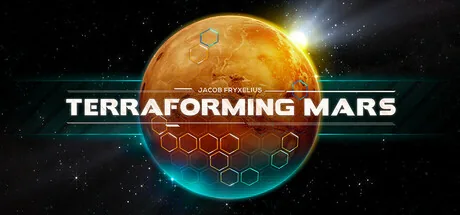
Baixe o melhor treinador de Terraforming Mars. Os recursos incluem Adicionar MegaCréditos, Sub MegaCréditos, Adicionar Aço, Sub Aço e muito mais. Melhore sua experiência single-player com o ModOpen, uma alternativa simples ao Cheat Engine.
Trainers e cheats compatíveis com Steam.
Precisa de ajuda com download ou instalação? Entre em nossa comunidade no Discord para obter suporte.
Changes to the resources will be visible as soon as you spend them. Alternatively, you can select an opponent on the left side of the screen and then select yourself again so that the display is updated.
Changes to the resources will be visible as soon as you spend them. Alternatively, you can select an opponent on the left side of the screen and then select yourself again so that the display is updated.
Changes to the resources will be visible as soon as you spend them. Alternatively, you can select an opponent on the left side of the screen and then select yourself again so that the display is updated.
Changes to the resources will be visible as soon as you spend them. Alternatively, you can select an opponent on the left side of the screen and then select yourself again so that the display is updated.
Changes to the resources will be visible as soon as you spend them. Alternatively, you can select an opponent on the left side of the screen and then select yourself again so that the display is updated.
Changes to the resources will be visible as soon as you spend them. Alternatively, you can select an opponent on the left side of the screen and then select yourself again so that the display is updated.
Changes to the resources will be visible as soon as you spend them. Alternatively, you can select an opponent on the left side of the screen and then select yourself again so that the display is updated.
Changes to the resources will be visible as soon as you spend them. Alternatively, you can select an opponent on the left side of the screen and then select yourself again so that the display is updated.
Changes to the resources will be visible as soon as you spend them. Alternatively, you can select an opponent on the left side of the screen and then select yourself again so that the display is updated.
Changes to the resources will be visible as soon as you spend them. Alternatively, you can select an opponent on the left side of the screen and then select yourself again so that the display is updated.
Changes to the resources will be visible as soon as you spend them. Alternatively, you can select an opponent on the left side of the screen and then select yourself again so that the display is updated.
Changes to the resources will be visible as soon as you spend them. Alternatively, you can select an opponent on the left side of the screen and then select yourself again so that the display is updated.
This cheat does not affect the special actions that you can cast 1x per generation, but the normally 2 actions that you can cast per round. So as long as the cheat is active, you can play as many cards, use as many resources and perform as many other actions as you want without having to end your turn.
No ModOpen, a segurança da sua conta é nossa maior prioridade. Ao contrário de ferramentas de hack ou menus de mods tradicionais, que injetam código malicioso diretamente nos arquivos do jogo, nossos trainers usam tecnologia avançada e não invasiva de injeção na memória. Isso mantém a integridade do jogo 100% intacta, evitando travamentos e arquivos corrompidos.
Todos os trainers que lançamos são verificados para garantir que estejam livres de vírus e atualizados regularmente pela nossa equipe para manter a compatibilidade com os patches mais recentes de Terraforming Mars.
Siga estas etapas simples para começar a usar trainers em Terraforming Mars com o ModOpen.
Instale nosso aplicativo leve para desktop. O ModOpen é um aplicativo muito bem avaliado que oferece mods e cheats seguros para mais de 3.000 jogos de PC.
Abra o ModOpen, procure Terraforming Mars e deixe o aplicativo detectar automaticamente a versão do jogo (Steam, Epic ou GOG).
Clique em “Play” e ative ou desative facilmente os cheats desejados usando teclas de atalho ou a sobreposição do aplicativo.
Volte para Terraforming Mars e aproveite imediatamente sua experiência de jogo aprimorada!
Sim. Os trainers do ModOpen são rigorosamente testados para serem totalmente seguros e livres de vírus. Eles modificam apenas a memória RAM ativa, e não os arquivos reais do jogo, mantendo a instalação segura e intacta.
Não. Os trainers do ModOpen foram desenvolvidos exclusivamente para experiências off-line de um jogador. Usar ferramentas de modificação ou formas de contornar restrições em modos multijogador pode violar os termos do desenvolvedor e resultar em penalidades na conta.
O ModOpen detecta atualizações de jogos automaticamente. Quando uma nova versão do trainer estiver disponível, você receberá uma notificação no aplicativo e poderá atualizar os cheats imediatamente com um clique.
Acompanhe as últimas notícias, atualizações e guias de jogos da comunidade ModOpen.
Novos guias de configuração, segurança dos jogos salvos e patches aparecerão aqui após a publicação.
Baixe ModOpen para Windows, verifique seus jogos suportados e abra as opções de treinador disponíveis em um só lugar.





Comentários
Ainda não há comentários publicados
Os comentários publicados e moderados sobre Terraforming Mars aparecerão aqui quando estiverem disponíveis.