首頁/修改器/Northgard
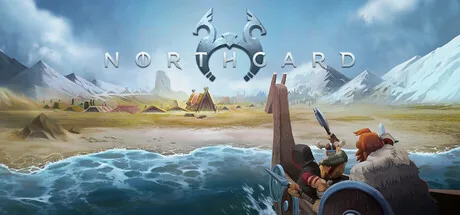
Northgard PC 修改器封面圖
可用

Northgard 修改器與遊戲功能

下載終極 Northgard 修改器。功能包括 準備作弊2, 填充食物, +10.000 硬幣/克朗, +10.000 木材 等更多選項。使用 ModOpen 無縫替代 Cheat Engine,提升你的單機遊戲體驗。

修改器與作弊功能支援 GOG, EA App, Steam。

免費下載 ModOpen 透過 Google Drive

最新版本:4.2.21.43321 (Steam) 更新日期:2026-07-22 100% 無病毒

需要下載或安裝方面的幫助? 加入我們的 Discord 社群以取得支援。

16 項 Northgard 修改器與模組功能

需要先激活

  • 準備使用作弊碼

    This cheat prepares the game for other cheats. It should be activated first, otherwise the other cheats won't work properly! Let game run for a couple of seconds before activating another cheat!

  • 準備作弊2

    This cheat prepares the game for other cheats. It should be activated first, otherwise the other cheats won't work properly! Let game run for a couple of seconds before activating another cheat!
金錢/資源

  • 填充食物

    Increases your food!

  • +10.000 硬幣/克朗

    This code increases your money/gold according to the displayed value.

  • +10.000 木材

    Increases the mentioned points according to the displayed value.

  • 傳說 +1.000

    You need to have at least one of the resources you want to cheat. The game has to be running with active "prepare for cheats 2" for 1-3 seconds, then these cheats could be used.

  • 名望 +250

    You need to have at least one of the resources you want to cheat. The game has to be running with active "prepare for cheats 2" for 1-3 seconds, then these cheats could be used.

  • 石頭 +500

    You need to have at least one of the resources you want to cheat. The game has to be running with active "prepare for cheats 2" for 1-3 seconds, then these cheats could be used.

  • 鐵 +500

    You need to have at least one of the resources you want to cheat. The game has to be running with active "prepare for cheats 2" for 1-3 seconds, then these cheats could be used.

  • 軍事經驗 +250

    You need to have at least one of the resources you want to cheat. The game has to be running with active "prepare for cheats 2" for 1-3 seconds, then these cheats could be used.

  • 添加信仰

生命值/能量

  • 上帝模式

AI

  • 人工智能沒有食物

    Your AI opponents no longer have any food/wood/coins!

  • AI 無需硬幣/克朗

    Your AI opponents no longer have any food/wood/coins!

  • 人工智能無木材

    Your AI opponents no longer have any food/wood/coins!

雜項

  • 即時新村民

    Provides you with new villagers when the mainbuilding is selected! Do not overuse it = overpopulation!

為什麼選擇 ModOpen 的 Northgard 修改器?

在 ModOpen,帳戶安全是我們的首要任務。傳統駭客工具或模組選單會將惡意程式碼直接注入遊戲檔案,而我們的修改器採用先進且非侵入式的記憶體注入技術。這能確保遊戲完整性維持 100%,避免當機和檔案損毀。

我們發布的每個修改器都會經過完整掃描以確保不含病毒,並由開發團隊定期更新,以保持與 Northgard 最新更新的相容性。

如何使用 ModOpen 暢玩 Northgard:分步指南

按照這些簡單步驟,開始在 Northgard 中使用 ModOpen 修改器。

  1. 步驟 1下載 ModOpen

    安裝我們輕量化的桌面應用程式。ModOpen 是廣受好評的應用程式,為超過 3,000 款 PC 遊戲提供安全的模組和作弊功能。

  2. 步驟 2在 ModOpen 中開啟遊戲

    啟動 ModOpen、搜尋 Northgard,並讓應用程式自動偵測您的遊戲版本(Steam、Epic 或 GOG)。

  3. 步驟 3在 ModOpen 中啟用功能

    按一下「Play」,即可使用快速鍵或應用程式內浮層輕鬆切換所需的作弊功能。

  4. 步驟 4啟用功能並開始遊戲

    返回 Northgard,立即享受強化後的遊戲體驗!

關於 ModOpen 與 Northgard 的常見問題

01

在 Northgard 中使用 ModOpen 修改器安全嗎?

是。ModOpen 修改器均經過嚴格測試,完全安全且不含病毒。我們僅修改執行中的 RAM 記憶體,而不會變更實際遊戲檔案,因此能確保安裝內容安全且不受影響。

02

這些功能可以在多人模式中使用嗎?

不可以。ModOpen 修改器僅為單機離線體驗設計。在多人模式中使用任何修改工具或繞過機制,可能違反開發商的服務條款並導致帳戶受到處分。

03

Northgard 釋出新補丁後,如何更新修改器?

ModOpen 會自動偵測遊戲更新。若有新版修改器可用,您會在應用程式內收到通知,並可一鍵立即更新作弊功能。

ModOpen 中有什麼新功能?

掌握 ModOpen 社群的最新消息、更新和遊戲指南。

所有 ModOpen 指南

尚未釋出任何指南

新的設定、存檔安全和更新指南發布後會顯示在這裡。

50,000+ 款支援的 PC 遊戲

探索ModOpen支援的更多遊戲

瀏覽ModOpen遊戲 →

評論

尚無已釋出的留言

Northgard 的已釋出且經審核留言將在可用時顯示於此。

準備好定製你的遊戲體驗了嗎?

下載適用於 Windows 的 ModOpen,掃描支援的遊戲,並在一處開啟可用的修改器選項。

免費下載 ModOpen 透過 Google Drive
McAfee 身份驗證
Northgard
16 個選項
免費下載 ModOpen 透過 Google Drive