- Mega Strength
For these cheats you've to open the pause-menu (with all values of your units) inside a battle at first.
Now activate any/all of the Mega-Cheats you like and close + reopen the pause-menu. The new values are instantly visible and if you continue the battle now, the nice effects will be also visible in combat.
If you disable the Mega-Cheats after this, the effect will only work for the current battle and not permanently on the characters.
- Mega Resistance
For these cheats you've to open the pause-menu (with all values of your units) inside a battle at first.
Now activate any/all of the Mega-Cheats you like and close + reopen the pause-menu. The new values are instantly visible and if you continue the battle now, the nice effects will be also visible in combat.
If you disable the Mega-Cheats after this, the effect will only work for the current battle and not permanently on the characters.
- Mega Magic Power
For these cheats you've to open the pause-menu (with all values of your units) inside a battle at first.
Now activate any/all of the Mega-Cheats you like and close + reopen the pause-menu. The new values are instantly visible and if you continue the battle now, the nice effects will be also visible in combat.
If you disable the Mega-Cheats after this, the effect will only work for the current battle and not permanently on the characters.
- Mega Magic Defense
For these cheats you've to open the pause-menu (with all values of your units) inside a battle at first.
Now activate any/all of the Mega-Cheats you like and close + reopen the pause-menu. The new values are instantly visible and if you continue the battle now, the nice effects will be also visible in combat.
If you disable the Mega-Cheats after this, the effect will only work for the current battle and not permanently on the characters.
- Mega Speed
For these cheats you've to open the pause-menu (with all values of your units) inside a battle at first.
Now activate any/all of the Mega-Cheats you like and close + reopen the pause-menu. The new values are instantly visible and if you continue the battle now, the nice effects will be also visible in combat.
If you disable the Mega-Cheats after this, the effect will only work for the current battle and not permanently on the characters.
- Mega Dodge
For these cheats you've to open the pause-menu (with all values of your units) inside a battle at first.
Now activate any/all of the Mega-Cheats you like and close + reopen the pause-menu. The new values are instantly visible and if you continue the battle now, the nice effects will be also visible in combat.
If you disable the Mega-Cheats after this, the effect will only work for the current battle and not permanently on the characters.
- Mega Special Power
For these cheats you've to open the pause-menu (with all values of your units) inside a battle at first.
Now activate any/all of the Mega-Cheats you like and close + reopen the pause-menu. The new values are instantly visible and if you continue the battle now, the nice effects will be also visible in combat.
If you disable the Mega-Cheats after this, the effect will only work for the current battle and not permanently on the characters.
- Mega Charisma
For these cheats you've to open the pause-menu (with all values of your units) inside a battle at first.
Now activate any/all of the Mega-Cheats you like and close + reopen the pause-menu. The new values are instantly visible and if you continue the battle now, the nice effects will be also visible in combat.
If you disable the Mega-Cheats after this, the effect will only work for the current battle and not permanently on the characters.
- Mega Luck
For these cheats you've to open the pause-menu (with all values of your units) inside a battle at first.
Now activate any/all of the Mega-Cheats you like and close + reopen the pause-menu. The new values are instantly visible and if you continue the battle now, the nice effects will be also visible in combat.
If you disable the Mega-Cheats after this, the effect will only work for the current battle and not permanently on the characters.











Комментарии
Опубликованных комментариев пока нет
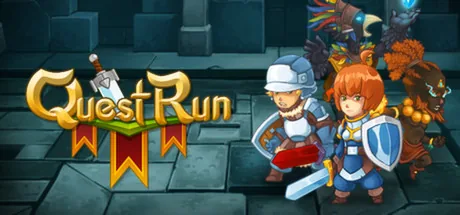
Опубликованные и прошедшие модерацию комментарии к QuestRun появятся здесь, когда станут доступны.