






需要先激活
- 准备
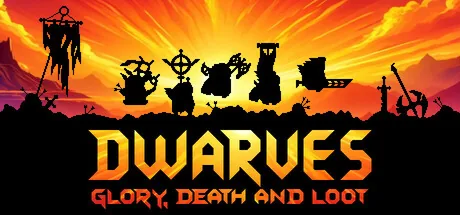
下载终极 Dwarves: Glory, Death and Loot 修改器。功能包括 镶嵌宝石, 增加金币, 亚金, 无限法力 等更多选项。使用 ModOpen 无缝替代 Cheat Engine,提升你的单机游戏体验。
修改器与作弊功能支援 Steam。
需要下载或安装方面的帮助? 加入我们的 Discord 社群以取得支援。
You have to use this cheat outside the skill menu and only then switch to the skill menu!
调整商店或战斗掉落物品的稀有度概率。神秘版本有 100% 神秘概率;其他版本对应稀有度概率超过 50%,也可能获得更高级物品。
调整商店或战斗掉落物品的稀有度概率。神秘版本有 100% 神秘概率;其他版本对应稀有度概率超过 50%,也可能获得更高级物品。
调整商店或战斗掉落物品的稀有度概率。神秘版本有 100% 神秘概率;其他版本对应稀有度概率超过 50%,也可能获得更高级物品。
调整商店或战斗掉落物品的稀有度概率。神秘版本有 100% 神秘概率;其他版本对应稀有度概率超过 50%,也可能获得更高级物品。
For these cheats you have to click on the XP bar above the portrait of any dwarf in the overview of your dwarves to open the detail view for this dwarf. The cheats will then work on that dwarf, and the changes will be visible when you close and reopen the detail view. In each case the base values of the unit are changed and not the total value incl. equipment!
For these cheats you have to click on the XP bar above the portrait of any dwarf in the overview of your dwarves to open the detail view for this dwarf. The cheats will then work on that dwarf, and the changes will be visible when you close and reopen the detail view. In each case the base values of the unit are changed and not the total value incl. equipment!
For these cheats you have to click on the XP bar above the portrait of any dwarf in the overview of your dwarves to open the detail view for this dwarf. The cheats will then work on that dwarf, and the changes will be visible when you close and reopen the detail view. In each case the base values of the unit are changed and not the total value incl. equipment!
For these cheats you have to click on the XP bar above the portrait of any dwarf in the overview of your dwarves to open the detail view for this dwarf. The cheats will then work on that dwarf, and the changes will be visible when you close and reopen the detail view. In each case the base values of the unit are changed and not the total value incl. equipment!
For these cheats you have to click on the XP bar above the portrait of any dwarf in the overview of your dwarves to open the detail view for this dwarf. The cheats will then work on that dwarf, and the changes will be visible when you close and reopen the detail view. In each case the base values of the unit are changed and not the total value incl. equipment!
For these cheats you have to click on the XP bar above the portrait of any dwarf in the overview of your dwarves to open the detail view for this dwarf. The cheats will then work on that dwarf, and the changes will be visible when you close and reopen the detail view. In each case the base values of the unit are changed and not the total value incl. equipment!
For these cheats you have to click on the XP bar above the portrait of any dwarf in the overview of your dwarves to open the detail view for this dwarf. The cheats will then work on that dwarf, and the changes will be visible when you close and reopen the detail view. In each case the base values of the unit are changed and not the total value incl. equipment!
For these cheats you have to click on the XP bar above the portrait of any dwarf in the overview of your dwarves to open the detail view for this dwarf. The cheats will then work on that dwarf, and the changes will be visible when you close and reopen the detail view. In each case the base values of the unit are changed and not the total value incl. equipment!
在 ModOpen,帐户安全是我们的首要任务。传统骇客工具或模组选单会将恶意程式码直接注入游戏档案,而我们的修改器采用先进且非侵入式的记忆体注入技术。这能确保游戏完整性维持 100%,避免当机和档案损毁。
我们发布的每个修改器都会经过完整扫描以确保不含病毒,并由开发团队定期更新,以保持与 Dwarves: Glory, Death and Loot 最新更新的相容性。
按照这些简单步骤,开始在 Dwarves: Glory, Death and Loot 中使用 ModOpen 修改器。
安装我们轻量化的桌面应用程式。ModOpen 是广受好评的应用程式,为超过 3,000 款 PC 游戏提供安全的模组和作弊功能。
启动 ModOpen、搜寻 Dwarves: Glory, Death and Loot,并让应用程式自动侦测您的游戏版本(Steam、Epic 或 GOG)。
按一下「Play」,即可使用快速键或应用程式内浮层轻松切换所需的作弊功能。
返回 Dwarves: Glory, Death and Loot,立即享受强化后的游戏体验!
是。ModOpen 修改器均经过严格测试,完全安全且不含病毒。我们仅修改执行中的 RAM 记忆体,而不会变更实际游戏档案,因此能确保安装内容安全且不受影响。
不可以。ModOpen 修改器仅为单机离线体验设计。在多人模式中使用任何修改工具或绕过机制,可能违反开发商的服务条款并导致帐户受到处分。
ModOpen 会自动侦测游戏更新。若有新版修改器可用,您会在应用程式内收到通知,并可一键立即更新作弊功能。
掌握 ModOpen 社群的最新消息、更新和游戏指南。
下载适用于 Windows 的 ModOpen,扫描支援的游戏,并在一处开启可用的修改器选项。





评论
尚无已释出的留言
Dwarves: Glory, Death and Loot 的已释出且经审核留言将在可用时显示于此。